
This is only a sample article, you can now start creating your own content.
Accessing Your Personal Profile Settings
To access the settings of your personal profile, click on your avatar at the top right of the application screen and then click on the “My Profile” item.

Make changes to your profile
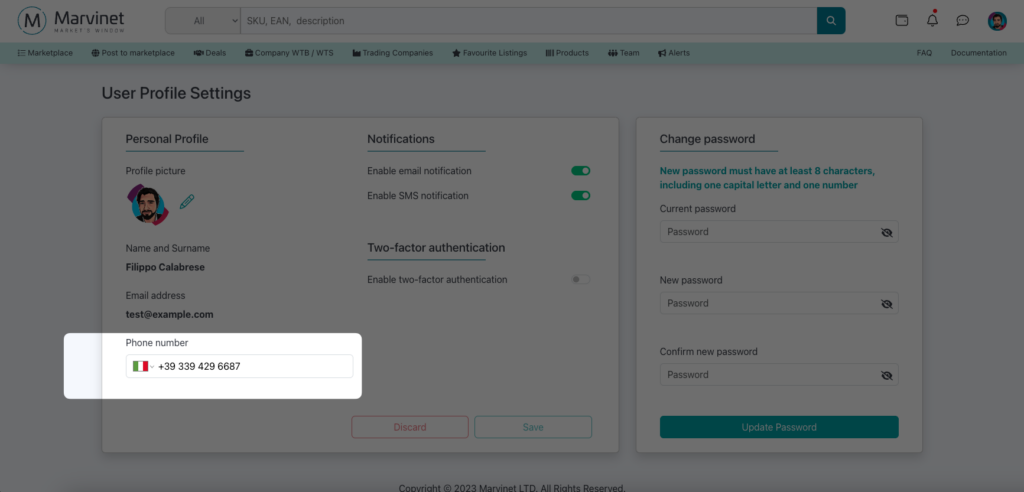
Changing your verified mobile phone number
Changing your phone number is located at the bottom left of the user profile panel.
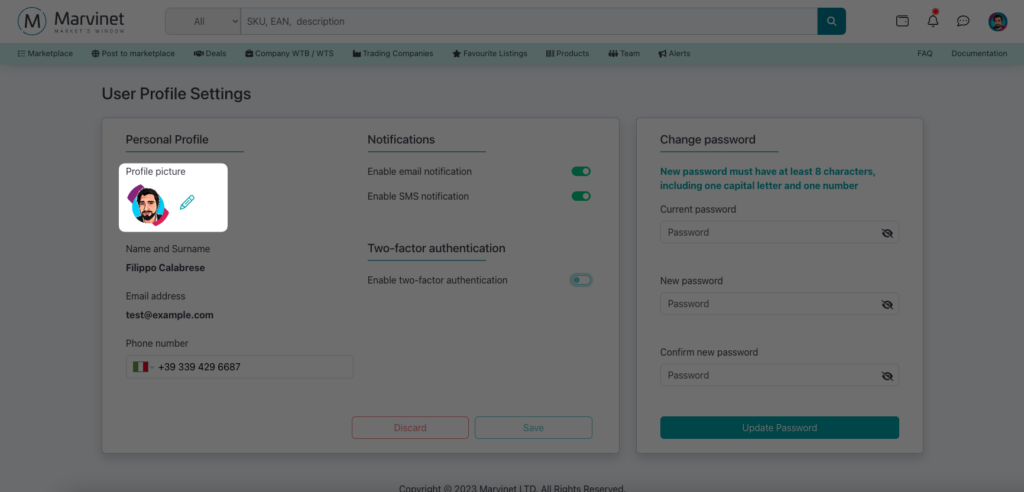
Changing your personal avatar
Your personal avatar is located at the top left of your profile management panel.
There are no particular constraints on your avatar. You can choose the one that you find most useful and representative for you, only respecting good customs
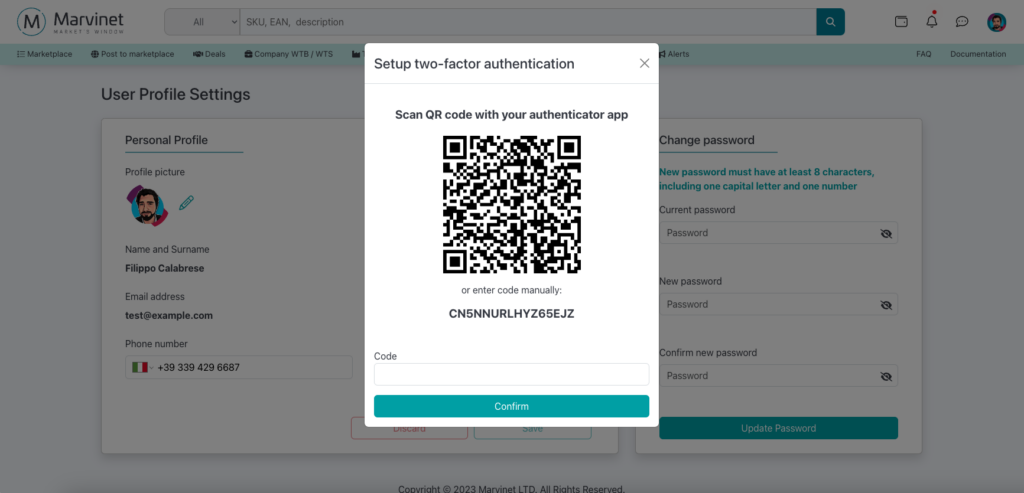
Enabling two-factor authentication
In case you did not enable two-factor authentication during registration, you can do so from the central left section of your personal profile.
Enabling two-factor authentication takes about a minute maximum and to do so you just need to follow the guided procedure made available by the system.

Setting notification preferences
Through your profile settings, you can choose the notification method you prefer for receiving information about what happens in the app.
Email notifications concern: new offers received, accepted and rejected offers, alerts on new deals corresponding to your interests and similar.
SMS notifications concern sensitive activities, i.e.: progress of accepted offers, receipt of funds in the escrow account, execution of logistical checks, etc.
